
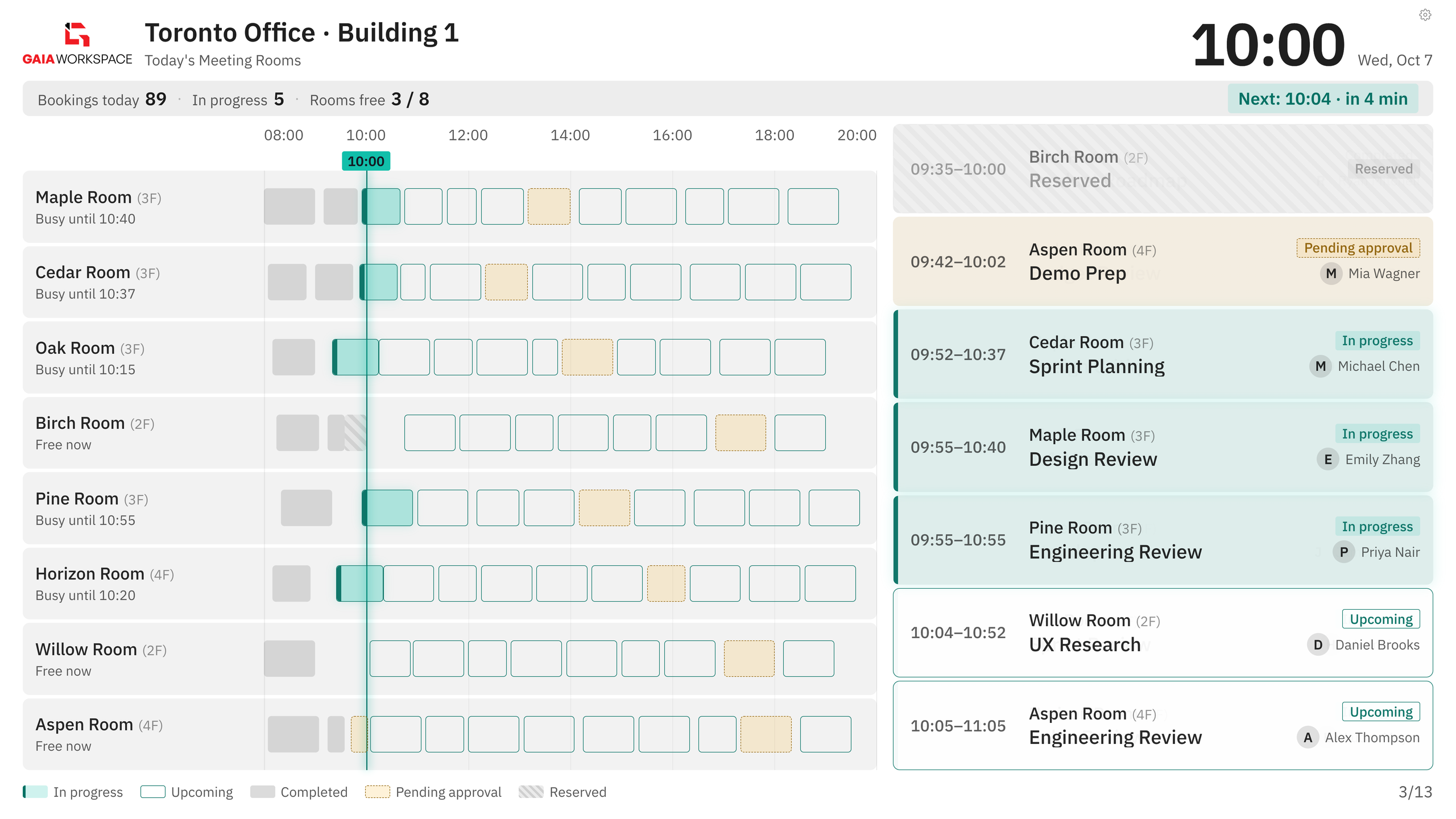
Timeline View
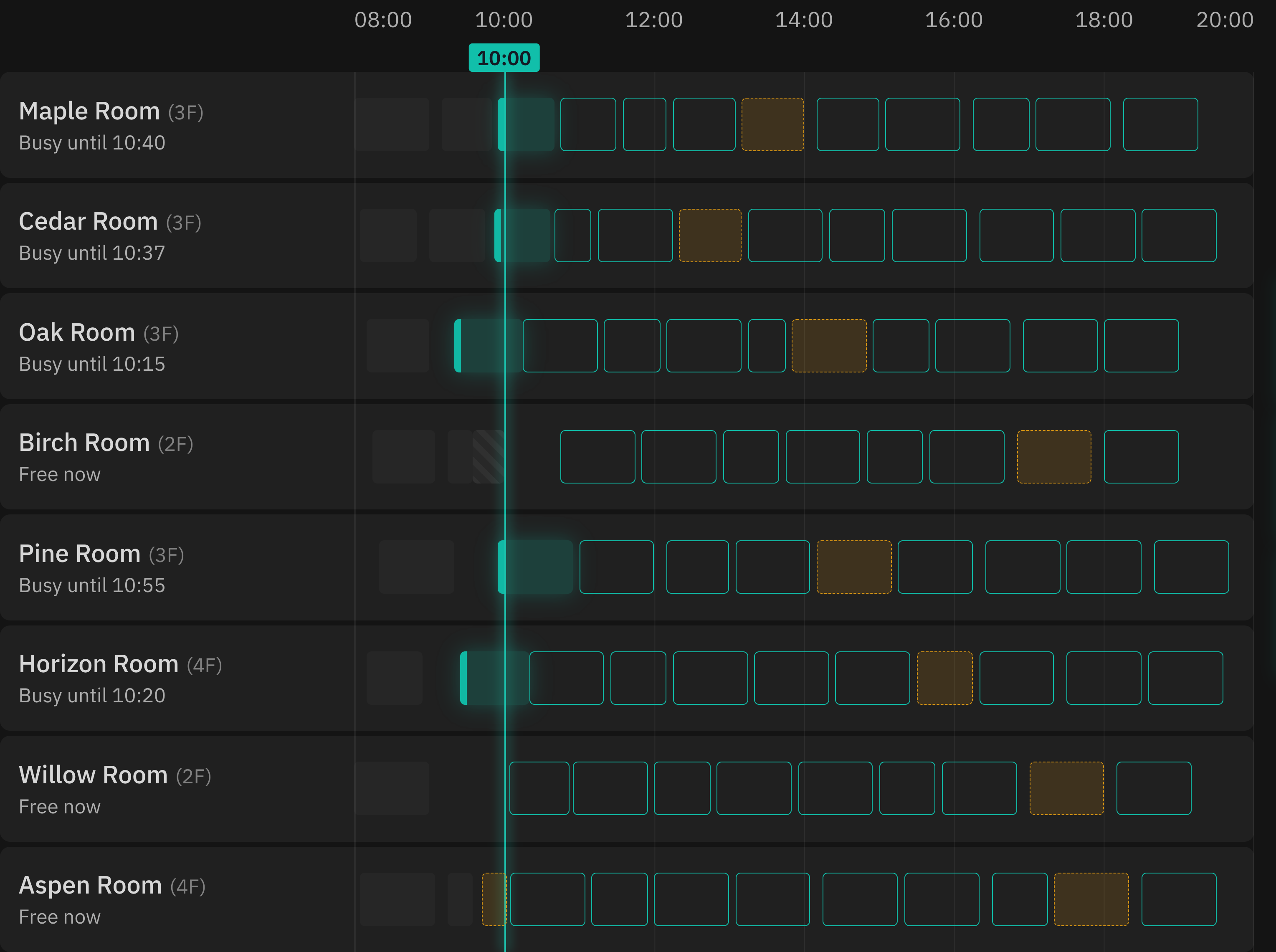
Hourly timeline (8am-8pm) shows booking blocks across all rooms at once.
Real-time meeting room availability displays for hallways and entrances. Show today's schedule, current status, and upcoming bookings on any screen—helping teams find available spaces instantly.
Display Boards show real-time meeting room status on hallway screens, lobby displays, or entrance panels. Employees can see which rooms are free, occupied, or upcoming—eliminating the "is this room available?" confusion.
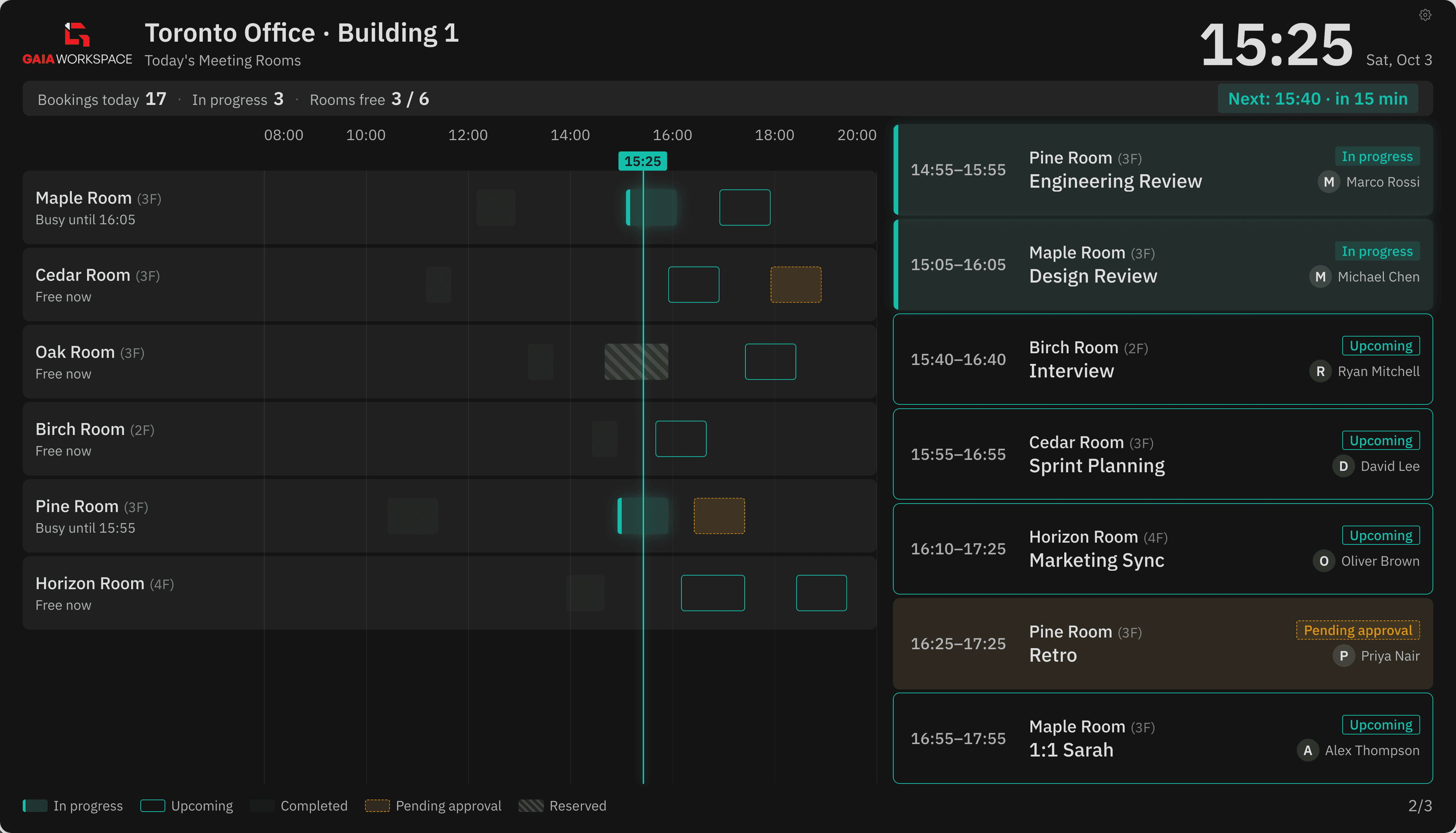
From live status to kiosk deployment, every detail is built for a screen on the wall.
Hourly timeline (8am-8pm) shows booking blocks across all rooms at once.
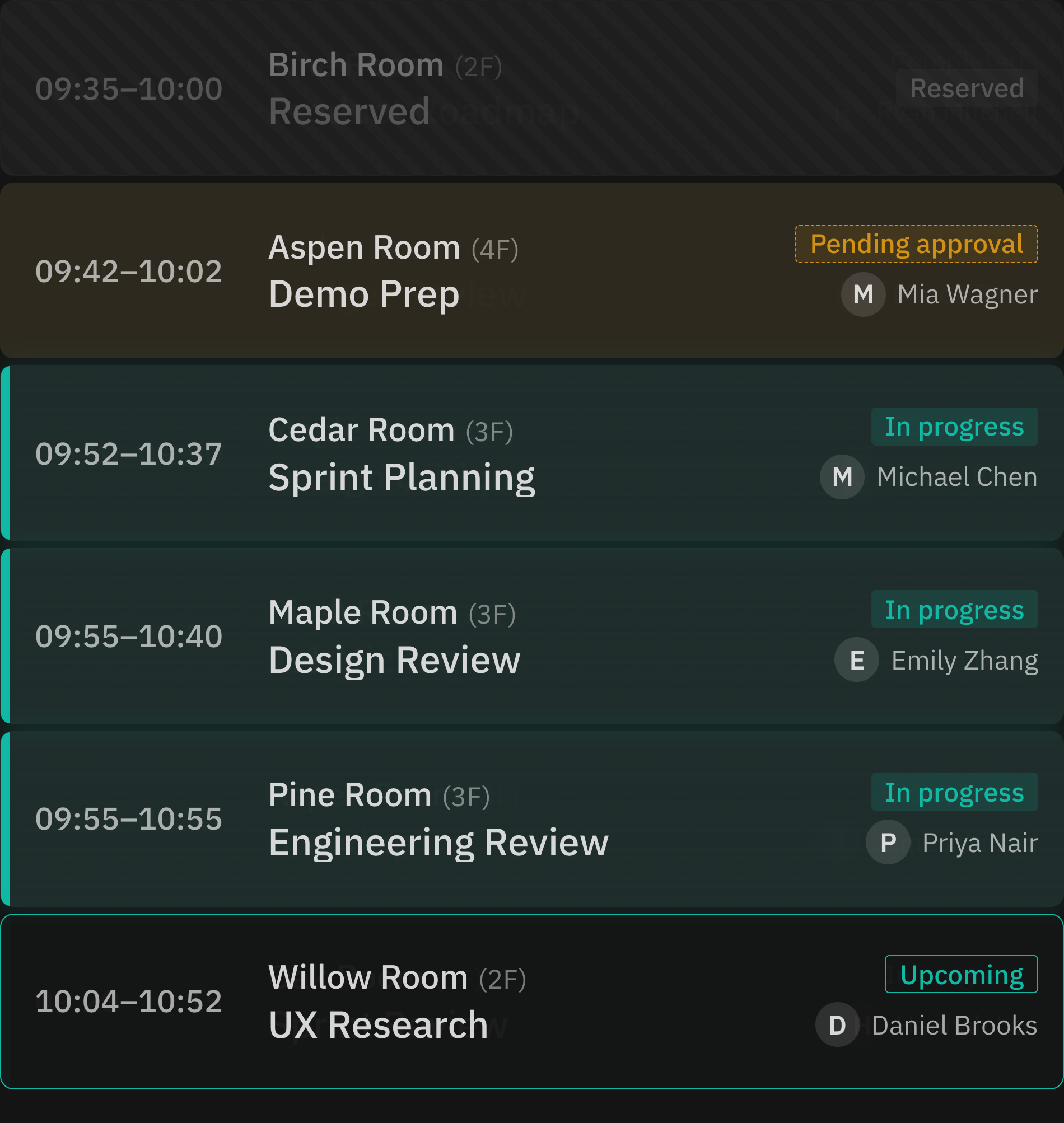
Real-time room status: Free now, In progress, Upcoming, Reserved, Pending approval.
Show location name, building, floor, and current time—orient visitors and employees.
Bookings today, meetings in progress, and rooms free count displayed at the top.
Syncs with booking system every minute—always shows current data without manual refresh.
Fullscreen display designed for wall-mounted tablets, TVs, or digital signage.
Mount near meeting room clusters—let people pick an available room without checking every door.
Visitors see today's schedule and find their meeting location instantly.
Show entire floor's room availability—perfect for multi-floor offices.
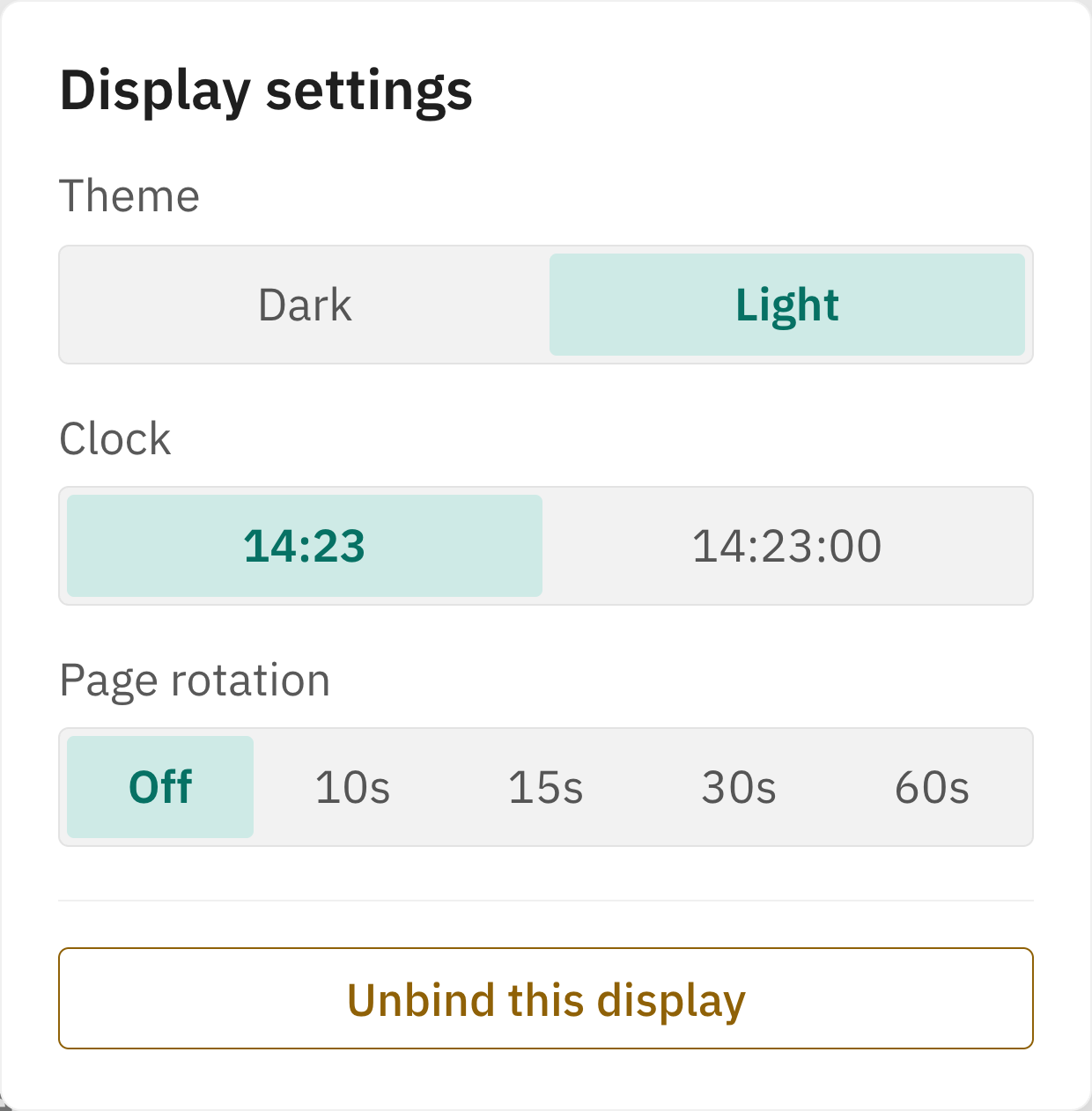
Every board carries its own display settings — switch themes, set the clock, and choose how pages rotate, right on the screen.
Flip between a deep dark board for dim hallways and a bright light board for sunlit lobbies.
Show 14:23 or 14:23:00 — match the detail level your floor already uses.
Busy days flip through schedule pages every 10–60 seconds — or hold a single page all day.
Theme, clock and rotation sit behind the gear icon on the board itself — no laptop required.
No special hardware needed. Open the board URL on any screen, enter fullscreen, and you're live.
Deploy Display Boards across your office and let teams find available meeting spaces at a glance.